11 Ways to keep phone charges low during international travel

11 Ways to keep phone charges low during international travel

You've just landed, the holiday excitement is kicking in, and you want to pull up a map, check into your hotel's WiFi, or post that first beach photo. But before you do, it's worth knowing that international roaming charges can turn a few minutes of normal phone use into a genuinely expensive mistake. Roaming rates are notoriously high in many destinations, and the good news is that avoiding them doesn't mean going without your phone. Here are 12 practical, verified ways to keep your bill under control.


How can I avoid roaming charges when travelling abroad?

Short answer: Turn off data roaming before you leave and rely on WiFi, a local eSIM, or a portable WiFi device instead of your home carrier's network abroad. Disabling automatic updates, background refresh, and voicemail closes off the most common ways travellers get billed without realising it.

The core issue is that your home carrier bills you a premium to let your phone connect to a foreign network. Every method below either avoids that connection entirely (WiFi, eSIM, local SIM) or controls when and how much your phone is allowed to use it.

Does turning off data roaming stop all charges?

Short answer: No. Turning off data roaming stops mobile data charges specifically, but calls and SMS on your home number can still be billed unless you also switch to VoIP calling and disable voicemail.

This is the single most common gap in a traveller's plan: they switch off data roaming, feel covered, and then get a surprise charge from an incoming call their voicemail picked up, or a text sent the normal way instead of over WiFi. The fixes below close each of these individually.


12 Practical Ways to Avoid Roaming Charges

1. Turn off data roaming when you don't need it

Keep data roaming switched off by default and only turn it on when you actively want to check maps, email, or social media. This ensures you're only ever charged for data you deliberately use, not background activity you didn't notice.

2. Turn off voicemail before you leave

If someone calls you while you're abroad and your voicemail picks up, that's typically billed as an international call on your end, even though you never touched your phone. Disable voicemail forwarding before departure to close this gap entirely.

3. Turn off automatic app updates and background refresh

Smartphones update apps, sync emails, and refresh notifications in the background, even when the screen is off. Go into your app store settings and switch updates to "WiFi only" before you travel, and turn off background app refresh for anything you don't need running live.

4. Download offline maps and apps before you leave

Many travel apps, particularly free ones with ads, need a live data connection to function since the ads themselves require data to load. Download offline map packs (Google Maps and Apple Maps both support this) and any travel apps you'll need before departure, over WiFi.

5. Use VoIP apps for calls instead of your carrier

Instead of making calls the normal way, which bills at international rates, use data-based calling through WhatsApp, FaceTime, Skype, or Facebook Messenger. These route over WiFi or your data plan rather than your carrier's voice network, and are typically far cheaper for calls home.

6. Use WiFi whenever it's available

Hotels, cafes, airports, and many public spaces offer free WiFi. Save heavy tasks, video calls, photo uploads, streaming, for these connections rather than mobile data. A WiFi pass or hotspot-finder app can help you locate free and premium hotspots if you're somewhere less obviously connected.


Is an eSIM cheaper than roaming?

Short answer: In most cases, yes. Carrier pay-per-use roaming rates can run into hundreds of dollars per gigabyte without an add-on plan, while a local or regional eSIM prices data in local terms, often a few dollars total for a week's use, because it connects you directly to a network in your destination rather than billing through a roaming agreement.

To put the gap in concrete terms: AT&T's published pay-per-use rate is $2.05 per MB on land without a Day Pass or plan in place, which works out to roughly $2,099 for a single gigabyte. That figure isn't a scare number, it's simply what a carrier's own standard per-MB rate multiplies out to over a gigabyte, which is roughly what an hour or two of video calls or map navigation can use.


7. Use an eSIM instead of switching physical SIM cards

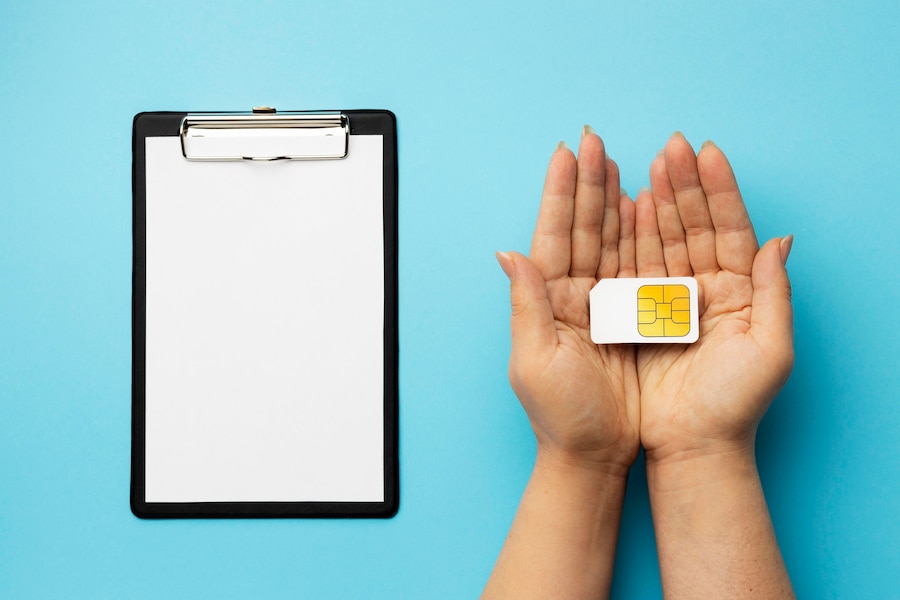
If you don't want to hunt down a local SIM card, or your phone is locked to your home network, an eSIM lets you add a local or regional data plan digitally, without touching the physical SIM in your phone. You keep your home number active for calls and texts while data runs through the local eSIM at local rates.

8. Get a data bundle before you travel

International data bundles, whether from your home carrier or a dedicated eSIM provider, let you lock in a fixed amount of data for a fixed price before you leave. This removes the guesswork and protects you from the punitive default rate that applies if you use data without any plan in place.

9. Choose pay-as-you-go over a roaming add-on you might overspend on

If your regular plan is a contract, there's always a risk of accidentally exceeding your allowance and triggering per-MB overage charges. A pay-as-you-go eSIM or local SIM caps your spend at what you've already paid, so there's no bill-shock waiting for you when you get home.

10. Set a data usage alert or spend cap

Most phones let you set a data usage limit in settings, so your phone stops connecting once you hit it, along with a warning notification as you approach the limit. In the UK, Ofcom rules require mobile providers to notify customers when they start roaming and to give clear, free information so customers can decide whether and how to use their phone abroad. Setting your own cap on top of that alert gives you a second layer of protection.


What should I turn off on my phone before travelling?

Short answer: Turn off data roaming, automatic app updates, background app refresh, and voicemail. Set your app store to update on WiFi only, and set a data usage alert or cap so you're notified before you approach any limit.

11. Use a data compressor if you're on a tight allowance

Some apps compress the data your phone uses for browsing and streaming, which can meaningfully reduce how much of your allowance a given session consumes. This is most useful as a supplement to an eSIM or bundle, rather than a replacement, since it reduces usage but doesn't eliminate roaming risk on its own.

12. Know your destination's specific roaming rules

Roaming rules vary significantly by where you're travelling from and to, and change often enough that it's worth checking shortly before you leave rather than relying on what you remember from a previous trip.


Will my UK phone roam free in the EU?

Short answer: Not automatically. Since Brexit, UK carriers are no longer required to offer free EU roaming, and most now charge a daily rate or per-MB fee for EU data and calls, though a small number of networks still include it as standard. Always check your specific plan before travelling.

This is one of the most common points of confusion for UK travellers, since "roam like at home" was the norm for years. Some providers now charge customers around £2 per day for calls, texts, or data in destinations that used to be free, and Ofcom's own research found that nearly one in five UK holidaymakers, 19%, are unaware they could face extra charges when using their mobile abroad, with a similar share not researching charges before they travel. If you're unsure what your plan covers, it's worth checking directly with your provider before departure rather than assuming coverage carried over from a previous trip.


Roaming Method Comparison

The right method depends on your trip length, destination, and how much data you realistically need. Here's how the main options stack up:

Method Setup Effort Typical Cost Basis Best For
Carrier pay-per-use roaming (no plan) None (default) Highest per‑MB rates carrier publishes; can add up fast on video, maps, or streaming Emergencies only; not planned use
Carrier day pass / roaming bolt-on Low (purchase before or during trip) Fixed daily or weekly fee; multiplies with trip length Short trips; travellers who want to keep their existing number active with minimal setup
Local or regional eSIM Low (digital install, no physical swap) Fixed price for a set amount of local‑rate data (varies by provider and region) Most travellers; keeps home number for calls/texts while data runs locally
Physical local SIM card Medium (requires unlocked phone, local purchase) Often cheapest per‑GB; pay‑as‑you‑go or bundled plans Longer stays in one country where temporarily losing your home number is acceptable
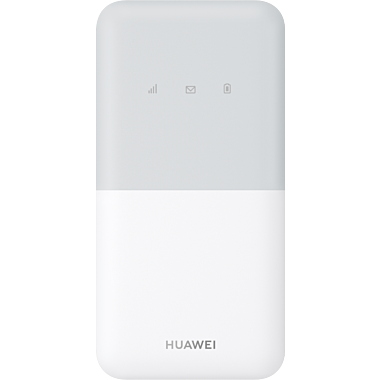
Portable Wi‑Fi device (pocket Wi‑Fi) with local SIM Medium (device rental/purchase + SIM) Device rental/purchase plus data plan; cost shared across users Groups or families sharing one connection across multiple devices
Wi‑Fi only (hotel/cafe/public hotspots) None Free or included; speed and reliability vary Budget travel, short trips, destinations with reliable public Wi‑Fi

The Bottom Line

Roaming charges are avoidable, not something you have to accept as the cost of travelling connected. Start with the basics: data roaming off, voicemail off, automatic updates disabled, before you leave. Then choose the connectivity method that matches your trip: WiFi for short, budget stays; an eSIM or bundle for most travellers who want reliable data without carrying a second SIM card; and a portable WiFi device if you're travelling as a group. Whichever you choose, the one habit worth keeping across every trip is never leaving your phone on the default pay-per-use rate with no plan in place.

Back