Travelling Abroad Soon? How to Stop Your Phone Racking Up Roaming Charges

Travelling Abroad Soon? How to Stop Your Phone Racking Up Roaming Charges

Leaving home without a phone isn't really an option for most of us anymore, so if you're travelling abroad soon, your phone needs almost as much prep as your suitcase. Get it wrong and the most expensive souvenir you bring home won't be from duty free, it'll be a roaming bill you didn't see coming. Get it right, and you can land, switch on a travel eSIM, and be connected in minutes without touching your UK allowance. Here's exactly what to do with your devices before you fly, including how a WorldSIM travel eSIM removes most of the risk in one step.

Do I Need to Turn Off Automatic Data Roaming Before I Travel?

Short answer: Yes. Turn off data roaming in your phone's settings before you leave, or your phone can connect to a local network the moment you land and start charging you at that country's standard roaming rate without any warning.

On an iPhone this is under Settings > Mobile Data > Data Roaming. On Android it's usually Settings > Network & Internet > SIM Cards, then toggle off Roaming. Some 3G, 4G, and 5G phones will pick up a local signal the second you land, whether you've given permission or not, and background tasks like app updates, email sync, and cloud backups will quietly use that connection. According to Ofcom's guidance on using your mobile abroad, providers are required to send you a message when you start roaming so you understand the charges that apply, but the safest approach is still to switch data roaming off manually and rely on Wi-Fi or a travel eSIM instead.

What Is a Travel eSIM and How Does It Stop Roaming Charges?

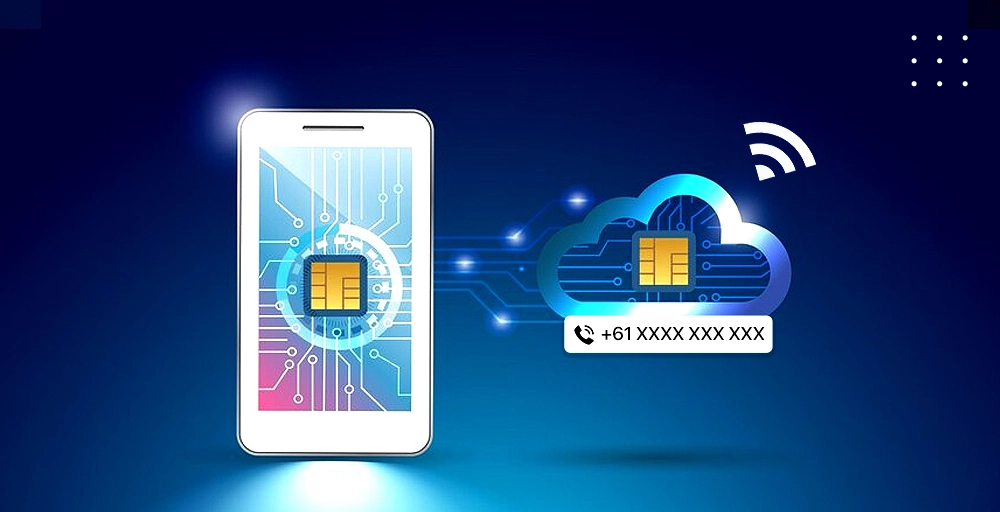
Short answer: A travel eSIM is a digital SIM installed by scanning a QR code, with no shop visit and no physical card to swap. It connects you to a local or regional network at that destination's rates the moment you land, and a WorldSIM travel eSIM can be activated before you even leave home.

An eSIM (embedded SIM) is built directly into your phone's hardware rather than sitting on a removable plastic card. Instead of hunting for a SIM shop at the airport or fumbling with a SIM tool on the plane, you scan a QR code from WorldSIM, the network profile downloads in a few minutes, and you're connected to local or regional data rates as soon as you land. Because most eSIM-compatible phones support dual SIM, you can typically keep your existing UK number active for calls and texts on one profile, while the WorldSIM eSIM handles data, and even voice and SMS for things like receiving one-time passcodes for work logins, on the other. That means no missed calls, no missed OTP codes, and no roaming bill.

Is your phone eSIM compatible? Most phones released since 2020 support eSIM, including:

  • iPhone XR, XS, and every iPhone released since (2018 onward)
  • Samsung Galaxy S20 series and newer, plus most Z Flip and Z Fold models
  • Google Pixel 3 and later

To check quickly, dial *#06# on your phone. If a 32-digit EID number appears alongside your IMEI, your device supports eSIM. Your phone will also need to be carrier-unlocked to install one. For the fuller device-by-device picture, easySim's 2026 eSIM compatibility list is a useful reference to check your exact model.

Because it's digital, a travel eSIM also solves the "what if I can't find a local SIM shop" problem raised by relying on Wi-Fi alone. You're not stuck searching for a hotspot in an airport arrivals hall or paying inflated hotel Wi-Fi rates just to check a map or confirm a booking.

How Much Does Data Roaming Actually Cost Outside Europe?

Short answer: It can be extremely high. Some UK networks charge several pounds per megabyte outside their included zones without a bolt-on, which can turn a few hours of unmonitored use into a triple-figure bill.

Research cited by Travel City found that nearly one in five UK holidaymakers didn't realise they could be charged extra for using their phone abroad, and a similar number admitted they never check their provider's roaming terms before they go. That gap is exactly what leads to bill shock. Here's what a daily roaming pass costs on the major UK networks for popular non-European destinations like the USA, Canada, and Australia, based on rates published by each network:

UK Network Daily roaming pass (rest of world) Pay-as-you-go rate without a pass
EE £5.91/day (Roam Further, select destinations) Up to £7.40 per MB
Vodafone £3/day (Zone A, e.g. USA, Canada, Australia) Often £6+ per MB
O2 £4.99/day (Zone 2, e.g. USA, Canada, Australia) Varies by destination
Three Around £2/day where available, or included on select tariffs Around £3 per MB

Rates sourced from Connection Technologies' UK network roaming comparison, correct as of July 2026 and subject to change. Always confirm current pricing with your own provider before you travel.

A WorldSIM travel eSIM sidesteps this entirely, since you're paying for a fixed data plan at the destination's rate instead of your UK network's standard roaming charge.

Should I Set a Data Limit Before I Leave the UK?

Short answer: Yes. Set a spend cap or data limit through your provider's app or account settings before departure so you're alerted, or your data is capped, before charges get out of hand.

Check your current data allowance and, if you think you'll need more, speak to your provider before you fly rather than after you've gone over. Most networks also let you set a monthly bill limit or spend cap directly through their app, and will notify you as you approach it. If you're switching to a travel eSIM for the trip, this matters less, since you're spending against a fixed data plan rather than an open-ended roaming rate.

Do I Need to Back Up My Phone Before I Travel?

Short answer: Yes. Back up your phone to iCloud, Google Drive, or a local backup before departure so a lost, stolen, or damaged device doesn't mean losing your photos, contacts, and documents too.

Travel is when phones get dropped, soaked, or pickpocketed more than almost any other time. A recent backup means a lost device is an inconvenience, not a disaster.

Are Travel Apps Safe to Use Without Wi-Fi Abroad?

Short answer: Only if you've checked they work offline. Apps that constantly ping the internet for updates or ads can burn through data even with roaming switched off, so download offline maps and confirm offline mode before you fly.

Before you go, download offline maps for your destination (Google Maps and Apple Maps both support this for specific regions) so you're not relying on a live connection to navigate. Be wary of free apps in particular, since many are ad-supported and will use background data to refresh those ads even when you're not actively using them.

Should I Keep My Contract SIM or Switch to a Travel eSIM Abroad?

Short answer: For anything beyond a short European trip, switch to a travel SIM or eSIM. It keeps you in control of what you spend, rather than relying on your existing contract's roaming rates, and most travel eSIMs let you keep your UK number active for calls and texts alongside it.

Travelling on your contract SIM without a plan means you're exposed to whatever your network's standard roaming rate happens to be for that destination, which, as the table above shows, can be steep outside Europe. A pay-as-you-go travel SIM or eSIM puts a ceiling on what you can spend, since you're working from a plan you've already paid for.

Do I Need to Update My Phone's Security Before Travelling?

Short answer: Yes. Install the latest operating system update and security patches before you leave, especially if you'll be relying on public Wi-Fi at airports, cafes, or hotels.

Public Wi-Fi networks are a common target for attackers, and an outdated operating system is more vulnerable to being compromised on one. Update everything while you're still on trusted home Wi-Fi, not the night before you land somewhere new.

Should I Lock My Phone With a Passcode Before I Travel?

Short answer: Yes. A locked phone with a passcode or biometric lock is the difference between a lost phone and a lost phone plus a stranger's roaming charges on your account.

If your phone doesn't already use a passcode, PIN, or biometric lock day to day, set one before you travel. A missing phone is stressful enough without someone else being able to use it freely.

Do I Need a Protective Case for My Phone or Tablet While Travelling?

Short answer: It's worth it. A sturdy case, and a waterproof one if you're heading somewhere with a beach or pool, protects against the extra knocks travel brings, and a screen protector guards against sand and grit.

Phones and tablets take more knocks on holiday than they do at home, from being packed in bags to being handed around for photos. A decent case, plus a screen protector if you're headed somewhere sandy, is cheap insurance.

Prep Your Devices, Then Let a Travel eSIM Handle the Rest

Turn off data roaming, back up your phone, update your security, lock it with a passcode, and pack a case, and you've covered the basics. But the single biggest fix on this list is swapping standard roaming for a travel eSIM before you fly. With WorldSIM, you can scan a QR code, activate your plan ahead of departure, and land already connected, without needing to check a roaming rate table or worry about a bill you can't predict. Browse WorldSIM's travel eSIM plans and get set up before your next trip.

Back